

Excellent news for gamers across Canada: we’ve massively expanded the variety of devices that can run Chicken Shoot Game. This is a major step. Our team rebuilt portions of the game from the ground up so it functions on additional smartphones, pads, and PCs than previously. Now you can game regardless of you have a new iPhone in Toronto, an Android tablet in Vancouver, or a Windows laptop in Calgary. Here’s how this patch does for you.
In what way Does “Expanded Device Support” Signify for You?
In simple terms, it removes the system issues. In the past, some users on more dated or uncommon hardware experienced sluggish performance, odd images, or freezes. We resolved that. The game’s software is now more flexible and more intelligent about leveraging your device’s capabilities. You receive fluid motion, crisp graphics, and inputs that work in real time. The goal is to enable every Canadian gamer just play, without the frustration.
The expansion covers both software and devices. We tuned for extra versions of iOS and Android, including latest ones and some elder, reliable releases. The game also adjusts its visuals on the go. A powerful phone will display all the visual bells and whistles. An more dated model will dial back the effects to keep the gameplay fluid. This adaptive adjustment means everyone, from a recreational user in Montreal to a dedicated fan in Edmonton, can play without problems.
Optimizing Your Experience on Any Device
Looking for the best performance? A handful of quick steps aid a lot. To begin, make sure your device’s operating system is upgraded to a version we support. This helps compatibility and security. Next, close other apps you don’t need, particularly on phones and tablets. This clears memory and processing power so the game can operate without lag.
If you compete in a browser, keep that browser up-to-date. Flush your browser cache now and then if you see loading problems; this gets rid of old temporary files that can cause glitches. A steady internet connection counts as well. Connect to a reliable Wi-Fi network or a robust cellular signal. Within the game’s settings, you can usually change the visual quality on your own. Selecting a “Performance” mode prioritizes smoother action over the most elaborate graphics.
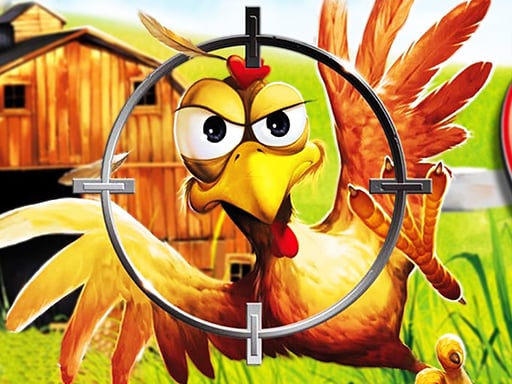
Why This Update Matters for Canadian Players
Canada is a big place with many types of technology in use. By widening our compatibility, we’re making sure additional players can play. A student in Saskatchewan with a budget Android phone, a worker in Quebec with a company iPad, and a PC gamer in British Columbia can every one get the similar fun experience. Gathering more players together is the point, aiding build a bigger community of Chicken Shoot Game fans from coast to coast.
This work also sets up the game for the future. As Apple, Google, and Microsoft introduce new devices and software updates, our flexible foundation lets us add support faster. You won’t have to stress as much about your game breaking after a standard phone update. We strive to provide stable, long-term fun for our players here. This update is about making sure you can experience the game for years, on the gadgets you possess and the ones you might purchase later.

Addressing Common Compatibility Queries
Can my older tablet continue to run the game smoothly?
If your tablet meets the OS and model guidelines we provided, it should run well. The game’s new scaling tech decreases graphical details to keep the frame rate stable. Try the tips we suggested, like closing background apps. If problems pop up, get in touch with our support team for support. We’ve noticed many older models, like earlier iPad Air and Samsung Tab versions, running great after the update. They get the full gameplay, https://www.reddit.com/r/OnlineCasinoGambling/ just missing some of the fancier visual effects.
Is connection speed a major factor for gameplay?
You need stable connection for loading the game, back up your progress, and participate in live events or multiplayer modes. But the main shooting action doesn’t demand constant high bandwidth once it’s loaded. This renders it a good fit for parts of Canada where internet service can be uneven. You can play long single-player sessions without latency interfering with your aim. A steady connection is best, but a spotty one won’t stop you from playing altogether.
Are there any differences between the app and browser version?
The game itself is the same—same levels, same mechanics, same rewards. The differences lie in how you obtain it and how you operate it. The native app (from the App Store or Google Play) might load a bit faster and can deliver you push notifications for events. The browser version allows you to start playing immediately without any installation, which is perfect for desktop computers or quick sessions. Your account operates on both, so you can move between them anytime.
Flawless Gameplay On Mobile & Desktop
We built this update for players who change gadgets. Maybe you begin a round on your iPhone during your Ottawa commute and need to finish on your home computer later. The game feels familiar and intuitive everywhere, whether you’re tapping a screen or clicking a mouse. You can jump between devices without missing a beat, so you can concentrate on your score and the leaderboards.
Controls change to suit each platform. On touchscreens, the buttons are made for your thumbs and you can move them around. On a desktop, the mouse offers you precise aiming, and keyboard shortcuts quicken your actions. This layout makes the game feel right at home on whatever you https://files.marketindex.com.au/files/data-downloads/30-june-2023.xlsx use. All your social and competitive data syncs too. Your progress, friends list, and tournament rank stay current no matter where you log in.
Comprehensive List of Supported Devices in Canada
We can’t name each individual model, but we are able to give you specific ranges. For Apple users in Canada, Chicken Shoot Game operates on iPhone models from the iPhone 8 and newer. This includes all iPhone SE models from the 2nd generation onward. For iPads, support begins with the 5th generation iPad mini, the 6th generation iPad, and the 3rd generation iPad Air. Android players must have a device running Android 8.0 (Oreo) or higher. This encompasses popular phones from Samsung Galaxy, Google Pixel, and OnePlus released over the last several years.
We remembered Windows PC and Mac users. The desktop browser version now has improved WebGL support. It works with the latest versions of Chrome, Firefox, Safari, and Edge. So whether you’re on a gaming PC in Halifax or a regular laptop in Winnipeg, you can play directly in your browser—no download necessary. This cross-platform access is a vital part of the update. Experience it on your device via our official page; the game will automatically pick the optimal settings for your hardware.
Future-Proofing Your Gaming Experience
This device enhancement isn’t a one-time thing. It’s part of our ongoing plan. We watch device trends and consider feedback from Canadian players to choose what to optimize next. We seek to stay ahead, gearing up for new hardware and software before most people even have it. By making our game engine flexible now, we make sure future content, graphics upgrades, and new features will be accessible to as many people as possible.
Turn on automatic updates for the Chicken Shoot Game app on your devices. That way you get every performance boost and compatibility fix as soon as it’s ready. For browser players, your experience will just get better as we update our web platform. We’re committed to a game that improves over time, advancing alongside your own technology. This proactive work on compatibility is our commitment: you’ll be able to play without interruption, no matter how your collection of gadgets changes.
اترك تعليقاً